PSD Realistic Golden Frame Design: Elevating Visual Storytelling Through Light and Structure
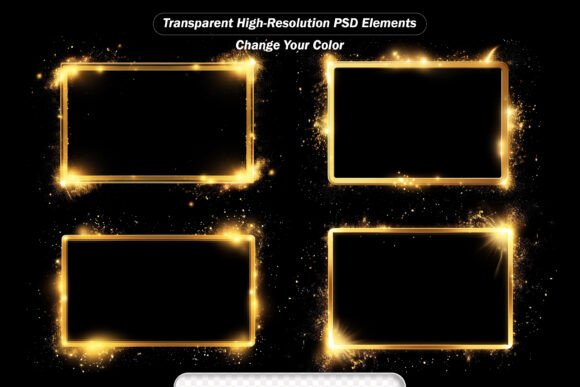
Light doesn’t just illuminate—it communicates. A subtle lens flare suggests a sun-drenched memory; a soft bokeh halo evokes intimacy; a radiant golden frame imparts gravitas, elegance, or ceremonial importance. In digital design, where attention spans are measured in milliseconds and visual hierarchy determines engagement, the PSD Realistic Golden Frame Design transcends mere decoration. It functions as both compositional anchor and atmospheric conductor—blending structural framing with dynamic light effects to shape perception, guide focus, and deepen emotional resonance.
Why Framing and Light Are Foundational—Not Optional
Framing is one of the oldest tools in visual communication. From Renaissance portraiture to smartphone photography, enclosing a subject within a defined boundary signals significance. But static borders—especially digital ones—risk feeling artificial or generic. The PSD Realistic Golden Frame Design resolves this by integrating photorealistic lighting directly into the frame’s architecture. Its golden tone isn’t flat metallic fill; it’s layered with luminance gradients, micro-textures, and ambient occlusion that respond believably to light direction and intensity. This realism prevents visual dissonance when overlaid on photos or illustrations lit from specific angles.
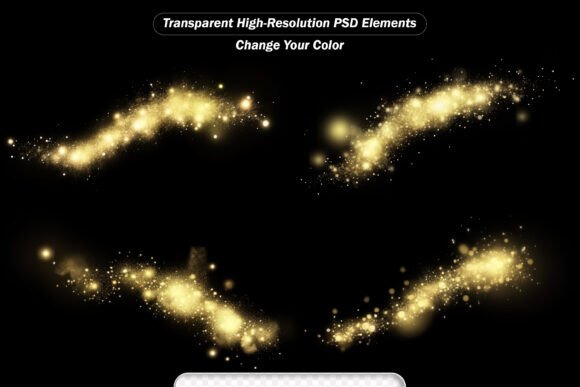
Equally vital is the light-effect component—not as separate overlays, but as harmonized extensions of the frame itself. Lens flares don’t float arbitrarily; they align with implied light sources. Glowing rays emanate from corners or edges in ways that reinforce perspective. Twinkling stars appear at varying depths, suggesting atmospheric volume rather than surface-level sparkle. This coherence transforms what could be a collection of isolated assets into a unified visual language.
How the PSD File Enables Precision and Adaptability
The inclusion of a fully editable Photoshop PSD file is not merely a technical detail—it’s the core enabler of professional integration. Unlike flattened PNGs or JPEGs, the PSD preserves layer structure, blending modes, masks, and adjustment layers. Designers can:
- Modify gold tone and reflectivity using Hue/Saturation or Color Overlay layers—shifting from warm antique brass to cool champagne without losing texture integrity;
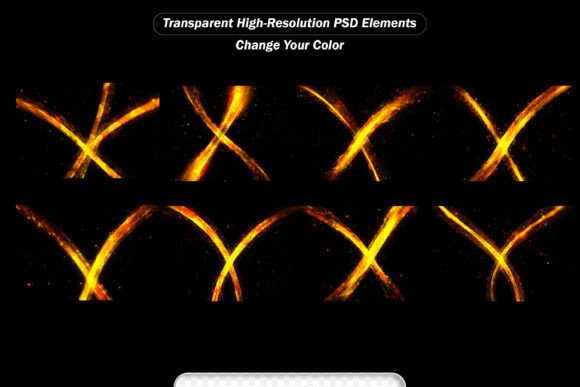
- Isolate and reposition individual light elements, such as moving a fire burst to emphasize motion in a sports portrait or rotating glowing rays to match architectural lines in a real estate render;
- Adjust opacity and blend mode per layer—softening a bokeh background for subtlety or intensifying sparkles with Screen or Linear Dodge for high-impact branding;
- Non-destructively mask effects to confine them within custom shapes, text outlines, or product cutouts—ideal for e-commerce banners or social media carousels.
This level of control matters across disciplines. A photographer retouching wedding portraits might use the golden frame to elevate a couple’s first look—but mute the fire bursts and amplify soft bokeh to preserve romantic serenity. An educator designing an online course module could apply a simplified version of the frame around key diagrams, using only the gentlest glowing rays to signal importance without visual noise. The PSD structure ensures intent—not preset aesthetics—drives the outcome.
Photography Enhancement with Narrative Intention
In editorial and fine art photography, the PSD Realistic Golden Frame Design supports storytelling rather than distracting from it. Consider a documentary image of a weathered artisan’s hands crafting pottery. Applying a matte-gold frame with subdued lens flare and muted sparkles reinforces dignity and timelessness—without veering into kitsch. The transparency of each effect layer allows skin tones and tactile details to remain unaltered beneath the glow. No color shifts, no halos, no loss of resolution: just intentional emphasis.
Digital Art and Conceptual Illustration
For digital painters and concept artists, light effects serve as narrative shorthand. A character emerging from shadow might be framed with radiant sparkles and forward-facing glowing rays—signaling revelation or power. Conversely, a melancholic scene benefits from cooler-toned bokeh and diffused starlight, placed asymmetrically to evoke imbalance or quietude. Because all effects retain alpha channels and high-resolution fidelity (3000×2000 pixels), they scale cleanly across print editions, NFT canvases, or animated sequences—even when composited over complex brushwork or textured overlays.
Branding and Marketing Communications
Brand guidelines increasingly demand consistency across touchpoints—from Instagram Stories to trade show backdrops. The golden frame’s versatility shines here. A luxury skincare brand might use the frame’s softest bokeh and warmest gold tone in email headers, reinforcing premium calm. That same brand could repurpose the fire burst and intense lens flare layers in limited-edition campaign videos—introducing controlled energy without redesigning assets. The JPEG variant offers instant drag-and-drop utility for non-designers (e.g., marketing coordinators building Canva presentations), while the PSD empowers designers to refine every nuance.
Technical Considerations for Optimal Integration
High resolution alone doesn’t guarantee usability—context does. The 3000×2000 pixel dimension was chosen deliberately: wide enough to accommodate landscape-oriented layouts (social banners, website hero sections) while retaining sufficient height for portrait cropping (mobile-first feeds, profile highlights). More importantly, all effects are rendered at 300 DPI with embedded color profiles (sRGB for web, Adobe RGB for print-ready output), preventing unexpected shifts during export or CMS upload.
Transparency handling is another practical differentiator. Many free light-effect packs use semi-opaque black backgrounds or poorly feathered edges, requiring time-consuming cleanup. In contrast, the PSD Realistic Golden Frame Design uses precise alpha channels and anti-aliased edges—so effects layer cleanly over gradients, textures, or transparent logos. Even when applied atop busy backgrounds (e.g., cityscapes, fabric patterns), the glow remains legible and spatially grounded.
Who Benefits—and How They Use It Differently
It’s rare for a single digital asset to serve educators, researchers, hobbyists, and enterprise designers equally—but this pack succeeds through modularity and fidelity. A university lecturer preparing lecture slides might use only the golden frame outline (no light effects) to create consistent section dividers—then add a single twinkling star layer beside key definitions to aid visual recall. A researcher compiling a grant proposal could apply soft bokeh behind data visualizations, subtly elevating clarity without competing with charts. A small-business owner designing holiday sale graphics may rely entirely on the JPEG files for speed—dragging pre-rendered golden frames into Shopify banners or Etsy listings in under two minutes.
Hobbyists benefit from the same foundational quality: no need to understand layer blending modes to achieve polished results. Yet those who do explore the PSD gain deeper mastery—learning how luminance maps interact with layer masks, or how Gaussian blur radius affects bokeh realism. This dual accessibility—immediate utility paired with expandable expertise—makes the pack pedagogically sound as well as practically robust.
Going Beyond “Effects”: Toward Intentional Visual Grammar
What separates this collection from generic light overlays is its adherence to visual grammar—the unspoken rules governing how humans interpret light, depth, and hierarchy. A fire burst isn’t just bright red pixels; it carries directional heat distortion and peripheral fading that mimics real combustion. Glowing rays follow vanishing-point logic, converging toward implied focal points. Even the “twinkling stars” vary in size, brightness, and scatter density to simulate atmospheric perspective—not random placement.
This attention to perceptual fidelity means the PSD Realistic Golden Frame Design doesn’t ask viewers to suspend disbelief. It works *with* their visual cognition. When used thoughtfully, it reduces cognitive load (by clarifying focus) while increasing emotional impact (through resonant light qualities). That balance—between clarity and atmosphere—is where professional-grade design lives.
Implementation Without Overdesign
A final, often overlooked consideration: restraint. The most effective use of this pack isn’t maximalist layer stacking, but strategic subtraction. Start with the base golden frame. Ask: What emotion or function does this composition require? If it’s reverence—add gentle bokeh and low-intensity rays. If it’s urgency—introduce one sharp lens flare aligned with action direction. If it’s wonder—place three precisely sized stars near a focal subject’s gaze line. Each decision should serve meaning—not fill space.
Because every element is editable and resolution-independent, iteration is frictionless. Try a version with desaturated gold and monochrome sparkles for vintage authenticity. Test inverted bokeh (dark center, light edges) for surreal contrast. Save variants as layer comps—documenting not just outcomes, but the reasoning behind them. That process—curious, critical, and context-aware—is where true creative value emerges.
In an era saturated with disposable digital assets, the PSD Realistic Golden Frame Design stands apart not for quantity, but for considered craftsmanship. It assumes the user is thoughtful, capable, and purpose-driven—and equips them accordingly.