130 Low Content Template Bundle
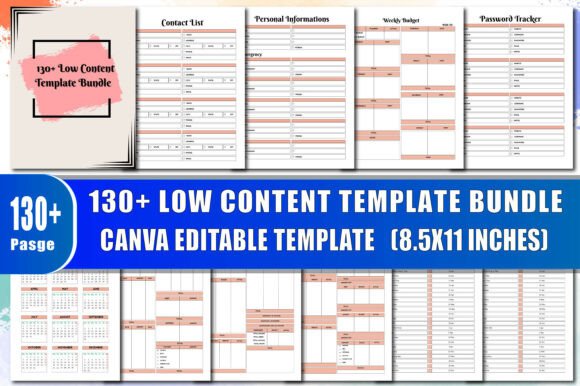
If you're exploring low-content publishing—whether to launch a side hustle on Amazon KDP, create custom planners for clients, or streamline your own personal organization—you’ve likely come across the 130 Low Content Template Bundle. It’s not just another collection of blank pages. This bundle delivers 130 thoughtfully structured, print-ready PDF templates designed specifically for Canva editing and KDP upload—with interior files optimized for professional output, clean margins, bleed-safe layouts, and consistent typography.
What makes it stand out isn’t the quantity alone, but how each template serves a real function: from 2024 and 2025 calendars with holiday names clearly marked, to practical tools like Debt Snowball trackers, Subscription Trackers, and Credit Card Info pages. There’s even space for vision boards, quarterly bill logs, and retirement summaries—tools that go beyond basic planning into meaningful financial and life management. And because every file is Canva-ready, you can adjust colors, fonts, icons, and layout elements without design experience.
Common Missteps—and Why They Cost Time (and Sales)
Many creators assume “low content” means “low effort.” That’s where things go sideways. A poorly formatted interior—like missing bleed, inconsistent margins, or unoptimized text boxes—can trigger KDP rejections or produce blurry, misaligned prints. Worse, buyers notice. A planner with cramped headers, overlapping checkboxes, or mismatched fonts feels unprofessional—even if the idea is solid.
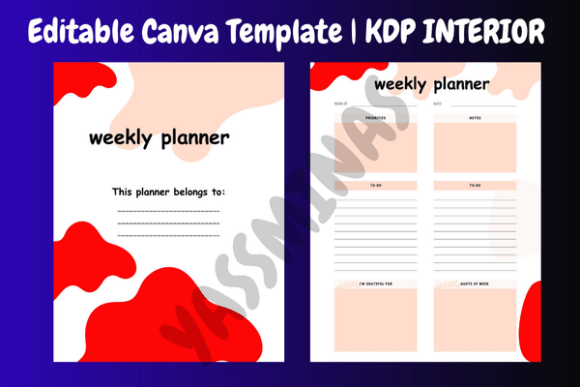
Another frequent oversight? Assuming all 130 templates are equally ready for immediate upload. In reality, some require minor adjustments before publishing—especially those with editable fields meant for personalization (e.g., “This Planner Belongs To” or “Personal Information”). If you skip testing how those fields behave in Canva—or fail to check spacing on mobile vs. desktop—your final PDF may have clipped text or awkward line breaks.
Then there’s the “copy-paste trap”: downloading the bundle, uploading every file to KDP as-is, and expecting strong sales. But Amazon rewards relevance and polish—not volume. A generic “To Do List” page won’t stand out unless it’s paired with intentional branding, cohesive cover design, and clear positioning (e.g., “Minimalist Weekly Budget Tracker for Freelancers”). Without that context, even high-quality interiors get buried.
What to Check Before You Edit—or Upload
Before diving into Canva, take five minutes to scan the bundle’s structure:
- File naming: Are templates labeled intuitively? (“Monthly-Budget-2024.pdf” is clearer than “Page_77.pdf”). Clear names save hours when organizing or updating later.
- Consistent sizing: All interiors should match standard KDP trim sizes (e.g., 6" x 9", 8.5" x 11"). Mixed dimensions cause layout chaos—and extra prep work.
- Font licensing: The bundle uses free-for-commercial-use fonts (like Poppins or Inter), but verify this in the documentation. Using unlicensed typefaces—even accidentally—risks takedowns.
- Bleed and safety zones: Open one interior in Canva and zoom to the edges. Is critical content (like headers or page numbers) safely inside the 0.125" margin? If not, nudge it inward before exporting.
Also, don’t overlook the non-design details. For example, the 2024 Name of Holiday and 2025 Name of Holiday pages include U.S.-based observances—but if you’re targeting UK or Canadian audiences, those dates won’t align. Adjusting them takes seconds in Canva; ignoring them could confuse international buyers.
Better Editing Habits—Starting Today
You don’t need advanced design skills—just intentionality. When customizing a Monthly Bills Tracker, ask: Who actually uses this? A small business owner needs space for vendor names and invoice numbers; a student might prioritize due dates and late-fee warnings. Tailor column width, label phrasing, and icon use accordingly.
Same goes for color. Default pastel palettes look friendly—but they’re not always functional. Light yellow backgrounds + pale gray text strain eyes during long planning sessions. Swap in high-contrast combinations (navy headers + crisp white backgrounds) for better readability. Canva’s “Accessibility Checker” helps spot contrast issues before export.
And remember: editing isn’t just about aesthetics. It’s about flow. A Yearly Planner works best when month spreads face each other—so users can see Q1 at a glance. If your bundle delivers single-page months, rearrange them in Canva before generating the full PDF. Small structural choices compound into big usability wins.
Realistic Expectations—and Where This Bundle Shines
This isn’t magic software. It won’t write your book description, generate keyword-rich titles, or automate KDP categories. What it does do—exceptionally well—is give you a reliable, editable foundation. Need a No Spending Tracker for a 90-day challenge? It’s there. Want to build a debt-focused planner around the Debt Snowball and Retirement Summary pages? Done. Looking for a gift-ready journal with Birthday Tracker and Important Notes? Ready to personalize in under 10 minutes.
The real value emerges when you stop treating these as “fill-in-the-blank” assets—and start seeing them as modular building blocks. Combine the Income Tracker and Expenses Tracker into a single finance dashboard. Merge Future Goals with Vision Board for a goal-setting workbook. Layer Bi-Weekly Budget and Paycheck Budget for dual-income households. That flexibility—paired with true KDP readiness—is what makes the 130 Low Content Template Bundle a time-saver, not a shortcut.
Whether you’re launching your first KDP planner or scaling a portfolio of niche journals, this bundle respects your time and your audience’s needs. It assumes you want clarity—not clutter. Function—not fluff. And quality that shows up, consistently, on the printed page.