Pink Daily Planner, Canva Template
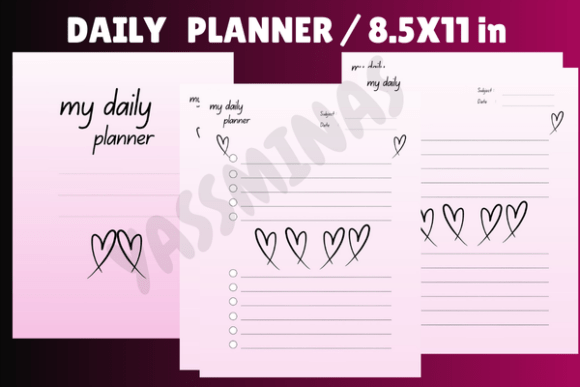
There’s something quietly powerful about a planner that doesn’t just organize your day—but makes you *want* to open it. The Pink Daily Planner, Canva Template does exactly that: it’s a thoughtfully structured, 8.5×11-inch digital planner built for real life—not perfection. Designed with warmth and intention, it balances clean functionality with a soft, heart-led aesthetic that feels personal without being cutesy. Think gentle blush tones, subtle watercolor textures, delicate line-art hearts, and generous white space—not cluttered layouts or overwhelming decoration. It’s feminine, yes, but never fragile. Uplifting, but never saccharine.
This isn’t a static PDF you print once and outgrow. It’s a fully editable Canva template—meaning every color swatch, font choice, section label, and layout block responds to your needs. Swap the rose-gold headers for deep plum if you prefer moody contrast. Replace the rounded sans serif body text with a light serif for editorial elegance—or keep it airy and modern. Add a “Gratitude Corner” or remove the “Weekly Reflection” box entirely. Because it lives in Canva, it adapts as your routines shift, your brand evolves, or your energy changes from season to season.
Why This Template Fits Real Creative Workflows
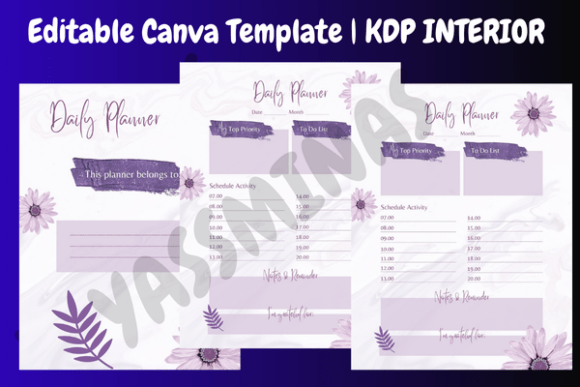
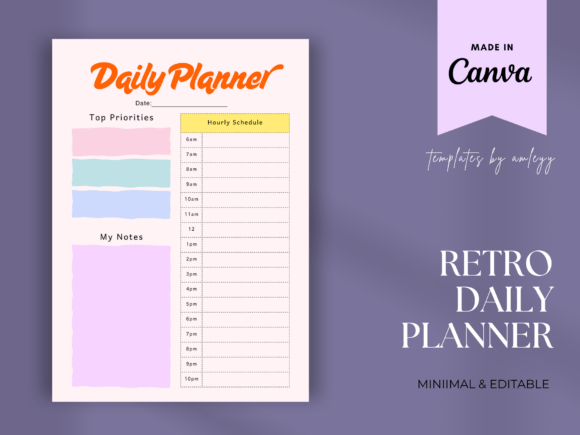
Designers and content creators often overlook how much mental load a poorly structured planner adds. A rigid, overly decorative layout forces compromise. Too much flair sacrifices function; too much minimalism drains joy. The Pink Daily Planner, Canva Template avoids both traps. Its grid-based daily spread gives you clear zones for time blocking (7 AM–9 PM), priority tasks (with checkbox-ready formatting), quick notes (bottom-right corner), and even a small “mood pulse” or “energy check-in” prompt—optional, unobtrusive, and human-centered.
For entrepreneurs and small business owners, this is more than a scheduling tool—it’s a lightweight operational asset. You can duplicate pages for client project tracking, use the same color-coded system across your social media calendar and invoicing tracker, or embed your logo and brand fonts directly in Canva before exporting. Bloggers repurpose the “Notes” section for headline ideas or interview talking points. Crafters sketch product mockups in the margins. Marketers align daily actions with quarterly KPIs using the built-in goal-setting header. It scales because it’s designed to be edited—not admired from afar.
Design Integrity Meets Practical Flexibility
The visual language is intentional, not incidental. Those hearts? They’re not random clipart—they’re custom-drawn, scaled for balance, and placed to guide the eye—not distract it. The pink palette uses accessible contrast ratios against off-white backgrounds, meeting WCAG AA standards for readability at standard viewing distances. Typography hierarchy is baked in: bold headers for date and focus areas, medium-weight subheads for sections like “Today’s Wins,” and light, open sans serif for body text—legible on screen and crisp when printed.
You’ll notice no forced script fonts or overused handwritten styles. That’s deliberate. Script fonts fatigue quickly in daily use—especially for time-sensitive entries like deadlines or appointments. Instead, the template leans into clarity and calm. If you want personality, you add it through color or iconography—not compromised legibility. And because all fonts used are Google Fonts or Canva’s native library, licensing is transparent and commercial-safe. No surprise restrictions when you upload to Amazon KDP, Etsy, or your own Shopify store.
How to Make It Yours—Without Overcomplicating It
Start simple. Open the template in Canva, click any text box, and change the font to match your brand voice—say, Playfair Display for a refined editorial feel or Inter for clean, tech-adjacent professionalism. Adjust spacing: reduce line height slightly in task lists for density, increase it in reflection prompts for breathing room. Then test contrast: try your chosen pink against black text on a white background—and then against dark gray on cream. Small tweaks, big impact on daily usability.
Need consistency across multiple products? Save your edited version as a Canva Brand Kit. That way, your custom colors, fonts, and even heart icon size stay synced across planners, social posts, and pitch decks. And if you’re publishing on Amazon KDP: export as high-res PDF (300 DPI), double-check bleed settings (none needed for 8.5×11), and verify that all elements fall safely within the printable area—no crucial checkboxes clipped at the edge.
More Than a Planner—A Design Choice With Ripple Effects
Every time someone opens your version of the Pink Daily Planner, Canva Template, they’re experiencing a quiet expression of your values: care, clarity, and creative control. That matters—not just for aesthetics, but for retention and resonance. Readers who feel seen in the design are more likely to return, recommend, or invest further. Clients notice when your internal tools reflect the same polish as your client-facing work. Even your own daily mindset shifts when your planning environment supports—not scolds—your pace and priorities.
This template doesn’t ask you to become more productive. It asks you to plan with presence. To choose softness without sacrificing structure. To treat organization as an act of self-respect—not just efficiency. And because it lives in Canva, you’re never locked in. Update it next month. Redesign it next year. License it, sell it, or gift it—knowing the foundation is sturdy, stylish, and deeply human.
If you’ve ever skipped planning because the tool felt cold, generic, or exhausting—this is the reset you didn’t know you needed. Not another productivity hack. Just space, sweetness, and sense—ready when you are.