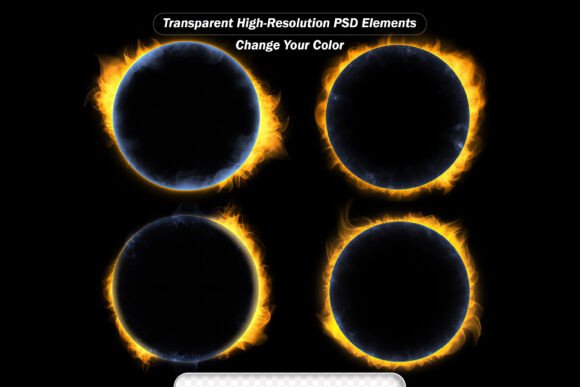
PSD Sun Eclipse and Burst - Space Vision
If you’ve ever spent 20 minutes tweaking a single highlight in Photoshop—only to realize it still looks flat, artificial, or just “off”—you’re not alone. Lighting makes or breaks realism. It guides the eye, sets mood, and signals importance. That’s where PSD Sun Eclipse and Burst - Space Vision steps in: not as another flashy overlay pack, but as a practical toolkit built for people who edit photos, design social posts, craft brand assets, or tell visual stories—without wanting to reinvent light every time.
What It Is (and What It’s Not)
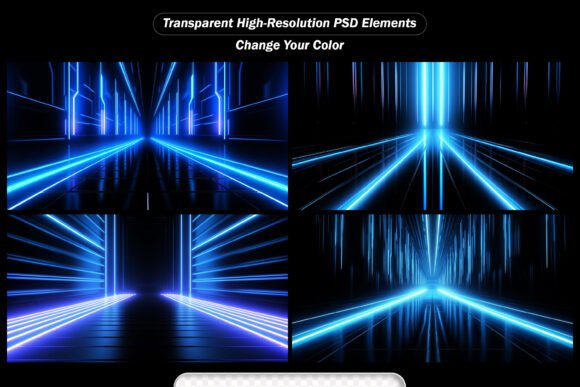
PSD Sun Eclipse and Burst - Space Vision is a curated collection of high-fidelity light effects—lens flares, fire bursts, glowing rays, twinkling stars, soft bokeh, radiant sparkles, and atmospheric sun eclipses—all delivered as layered PSD files and ready-to-drop JPEGs. Each effect is designed with true transparency, precise anti-aliasing, and natural falloff—so it doesn’t sit *on top* of your image; it integrates *into* it. No harsh edges. No mismatched color casts. No guessing whether the glow direction matches your light source.
It’s not a one-click “magic filter.” It’s more like having a lighting assistant who understands how real light behaves—where it scatters, how it diffuses, when it flares, and why some glows feel cinematic while others feel like a flashlight in a closet.
Where Real People Actually Use These Effects
Let’s talk about context—not categories. Because how you use lens flares depends entirely on what you’re doing *right now*, not what the product page says.
A photographer editing wedding portraits
You shot golden hour shots outdoors—but the couple’s faces are slightly underexposed, and the background sky feels muted. Instead of pushing exposure and blowing out highlights, you drop in a subtle sun eclipse effect behind them, rotated to match the sun’s actual position. The result? A warm, directional glow that lifts skin tones naturally and adds depth without looking edited. You keep the original texture, grain, and emotion—just with better light storytelling.
A small business owner designing Instagram carousels
You’re promoting a new line of handmade candles. Your flat-lay photo is clean and well-composed—but it lacks energy. You add a soft bokeh burst behind the main candle, then layer a faint radial sparkle near the wick. Instantly, the image feels warmer, more inviting, and subtly luxurious—no retouching, no stock textures, no extra fonts. Just light doing quiet, persuasive work.
A freelance designer building a tech startup’s presentation deck
The client wants “innovation” and “clarity” visualized—not with generic blue gradients, but with something fresh and dimensional. You place a low-opacity glowing ray behind a key statistic, angled like light passing through a prism. It catches attention without distracting, adds polish without cliché, and aligns with their brand’s clean-but-human tone. Colleagues notice the difference. Clients say, “This feels intentional.”
An educator creating science lesson visuals
You’re illustrating solar phenomena for middle school students. Instead of using cartoonish clip art, you composite a realistic sun eclipse effect over a NASA-derived starfield image—then adjust layer blending modes and opacity to show corona structure, chromosphere glow, and Baily’s beads. Students see physics in action—not diagrams, but light behaving as it does in space.
Why the Format Matters More Than You Think
The included Photoshop PSD file isn’t just “editable”—it’s built for iteration. Every flare has its own layer group: core burst, outer diffusion, stray particles, and subtle chromatic aberration. You can mute the red channel to cool down a fire burst, mask part of a ray to follow a subject’s silhouette, or change the blend mode of a starfield from “Screen” to “Linear Dodge” for sharper twinkle contrast. This level of control matters when your deadline is tomorrow and your client asks, “Can we make it feel more ethereal?”
The high-resolution JPEGs (3000×2000 px) serve a different need: speed. When you’re batch-editing 40 product photos for an e-commerce launch, dragging and dropping a pre-tuned sparkle effect saves 12 minutes per image—time you spend checking consistency, not calibrating glow radius.
Things to Keep in Mind Before You Apply
Light effects only enhance—they don’t fix. If your base image is poorly lit, overly noisy, or miscomposed, adding a lens flare won’t rescue it. Start with solid fundamentals: good exposure, sharp focus, and thoughtful framing.
Also, consider your output context. A vibrant fire burst works beautifully on a dark-mode website banner—but may overwhelm a printed brochure with limited ink coverage. Likewise, a strong sun eclipse effect reads powerfully on desktop, but could get lost on mobile if scaled too small. Preview at final size, not just at 100% zoom.
And remember: subtlety often wins. One well-placed ray or a single soft bokeh bloom draws attention more effectively than three competing flares stacked on top of each other. Try muting the effect’s opacity to 30–50% first—you’ll be surprised how much impact remains.
Who Benefits—and How It Shows Up in Their Work
Bloggers and content creators use these effects to unify disparate images across a series—say, travel posts shot in different lighting conditions. A consistent glow style ties them together visually, reinforcing brand voice without needing identical gear or golden-hour timing.
Marketers running paid ads rely on split-second visual clarity. A subtle radiant sparkle around a CTA button or headline increases perceived value and click-through rate—not because it’s flashy, but because it mimics how our eyes naturally track light sources.
Hobbyists and educators find value in the learning curve itself. Experimenting with blend modes, layer masks, and opacity sliders using these professionally crafted assets builds intuition about light behavior—far faster than trial-and-error with brushes or gradients.
Even print designers benefit: the high-res JPEGs hold up well in CMYK workflows when converted properly, and the PSD layers allow precise color channel adjustments before output—critical when matching metallic inks or spot colors.
Ready When You Are
You don’t need a studio, a lighting crew, or advanced compositing skills to bring dimension and intentionality to your visuals. PSD Sun Eclipse and Burst - Space Vision meets you where you are: in Photoshop, mid-edit, with a deadline looming and a vision worth honoring. It’s not about making things look “more dramatic.” It’s about making them feel more true—to the moment, the message, and the person seeing them.
Download now—and next time light needs to do more than illuminate, let it speak for you.